
 Image 1 of 1
Key Features
It can add to a cart and auto checkout very fast.
It can auto-refresh on the product listing page until the item is available.
You can add both shipping address and billing address details and save them.
You can set a refresh delay.
you can put keywords to find the item. and also you can set to find the new products only if you don’t know what products will be released.
The “AND” Keyword search operation represents all keywords that should be present.
the “OR” keyword search operation represents any one of the keywords that should be present.
Pattern: key1, key2, key3...
Functions For OR: key1 OR key2 OR key3.
Functions For AND: key1 AND key2 AND key3.This bot consists of three different ways of searching the products( By direct link, By site search, and By search from a Product/collection page link ).
It has a very nice user-friendly interface.
It is the most reliable, and most frequently updated.
Very quickly updating the bot if the website changes at the last moment.
Check the FAQ page, Help page,Video page and Latest Tweets for more questions or helpful guides or videos and and the latest updates.
If you face any problems, please contact us through our Contact Us page (see the top navigation).
Bot Installation and Setup Guide
1. Install the bot by the instruction given in the PDF file which we sent you by auto email after the purchase and click on the extension icon on the top right of the browser extension bar.
2. Enter the collection page URL in the URL input field of the bot setting page like https://www.therealreal.com/collections/bags
3. Enter product keywords(must be uniquely identified to the item. multiple keywords must be separated by comma(,) ).
6. Select auto-checkout to yes then the billing address field will appear then click on the "Billing Address" bar so it will expand.
7. Select the checkout type to complete checkout.
8. Click on Billing Address then it will expand then enter Billing Address details then check the Shipping Address the same as billing then click on payment method so it will expand then select a payment method and put Payment Information then Save the Information and Start the bot.
9. The bot will add to the cart and will do auto checkout if auto-checkout is selected “yes”.
10. For any queries feel free to contact us. We are always available for customer support.
Updates
The latest version is: 0.4.6
Problems solved: Fully updated on 04/08/2026
How to install: Click here
How to update: Click here
How to make multiple chrome profiles for multiple items cart or multiple accounts open in one computer: Click here
If any problem occurs or the bot doesn’t work then please contact us: Click Here
Screenshot of Demo Setup

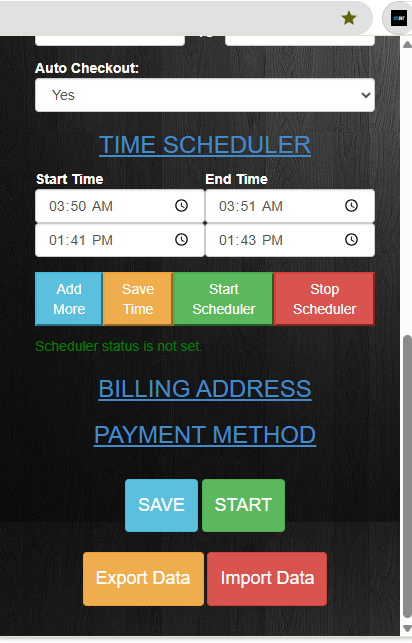

Therealreal Bot setup screenshot-2
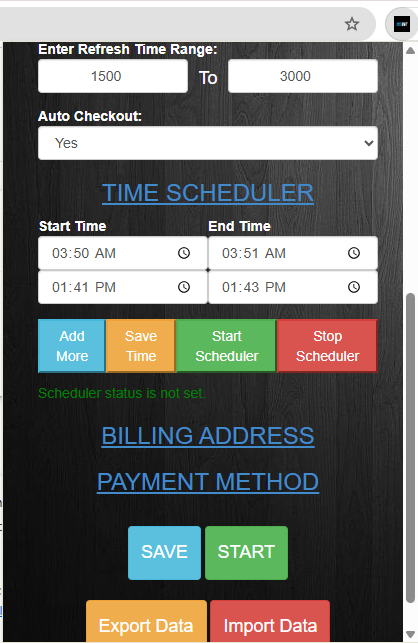
TheRealReal Bot Screnshot 4
